


The main advantage of using a marketing automation tool is that you can learn more about your prospects activities and interest through their online behaviour thanks to web cookies.
For a seamless transition of your tracking activities in Pardot, take a look at our recommended checklist below and ensure you are prepared for everything:
- Include the Pardot tracking code on your new site
- Connect your Google Analytics / Tag Manager with the new site and Pardot
- Make your Pardot domain consistent with your new website url
- Set up SSL-enabled tracker domains
- Think about which Pardot forms you will include on the new website
Now let’s take a look at how you can manage these activities in Pardot…
When launching a new website you have to ensure it is connected to Pardot, so it can track your visitors activities by adding a tracking cookie to their browser when they first visit your website. When your tracked visitors convert to prospects via a Pardot form, these cookies will populate their activities in their new prospect profile. Once that happens, these cookies provide you with a wealth of information about each prospect’s interests, behaviour, and activities.
Add the tracking code of your Website Tracking campaign in Pardot to every page on your website – you can find the tracking script via the campaign here:
When you have that unique Pardot tracking code, copy it and paste it to the web page HTML, before the close body tag (</body>). You can test if your tracking script is working, by visiting your website and then navigating to Prospects and Visitors in Pardot to see if Pardot is recording your web visits.
Now that Pardot and your website are connected, you need to make sure that your Google Analytics and Adwords platforms are connected to both of them to provide you in-depth reporting of your prospects and visitors. Integrating Google Analytics with Pardot with a unique connector, Pardot will be able to read the set UTM parameters and utilise that information for target segmentation. By connecting Adwords to your Pardot, your visitors will be tracked from your Google ad to your website or landing pages, where they have the opportunity to convert to a prospect. See more information of Google connectors here.
Have you changed anything in your main website domain? Then make sure it is aligned with the settings in Pardot to provide a seamless transition for your visitors between Pardot-hosted content and your main site.
If you have a personalised tracker domain (otherwise known as a cname or vanity URL) enabled on your Pardot account that resembled the old domain structure, you need to need to create a new one to align with your new main domain.
In case your domain will be secured with a SSL certificate and you’d like to set up the same behaviour in Pardot, you’re in luck, as Pardot recently released a feature that enables this option for you. Read more about what do you need to set up SSL-enabled urls in our article.
When launching a new website you might reconsider which Pardot forms you would like to include on your pages to convert more prospects than before. What could be your options?
| Form | Goal | Recommended Fields |
|---|---|---|
| Contact us | New opportunities | Email, First Name, Last Name, Company, Phone, Comments |
| Newsletter sign-up | New subscribers | |
| Gated content | New leads to nurture | Email, First Name, Last Name |
| Event registration | New registrants | Email, First Name, Last Name, Company |
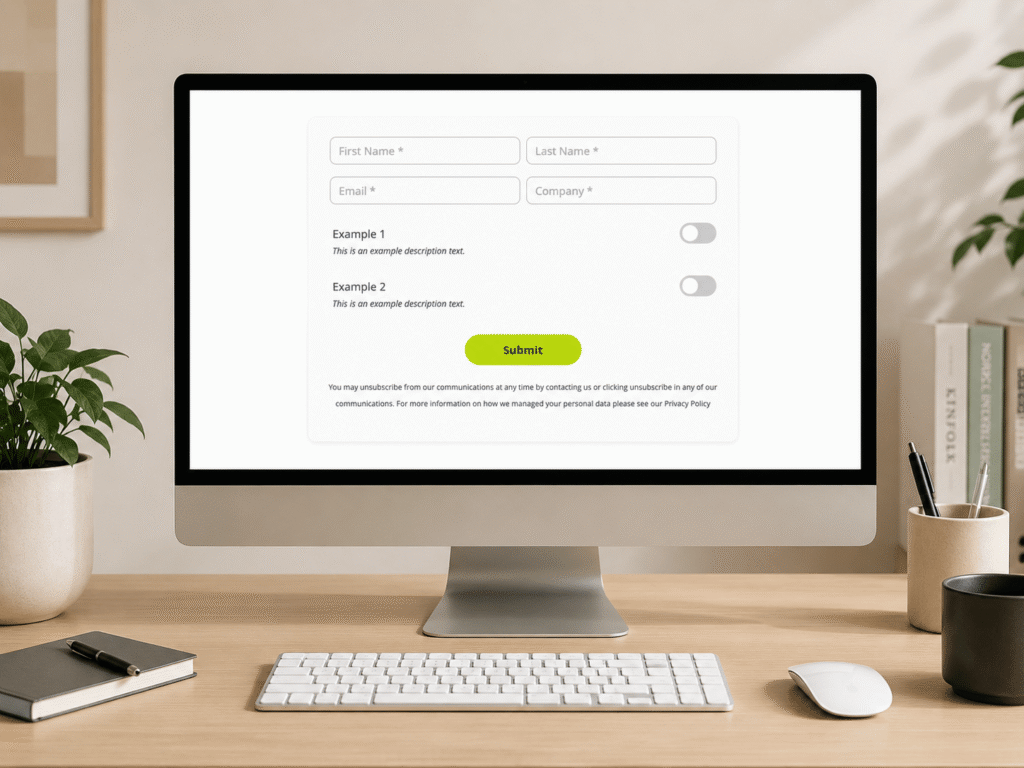
It is completely your decision which ones you’ll choose to integrate with your website, but you need to make sure their design is consistent with your new website style. Use your new design to create a layout template in Pardot with the same styling settings describing what the field labels, input fields and submit button should look like. In case you’re new site is using custom fonts, include a reference point in your Pardot template, by following the configuration instructions from Salesforce.
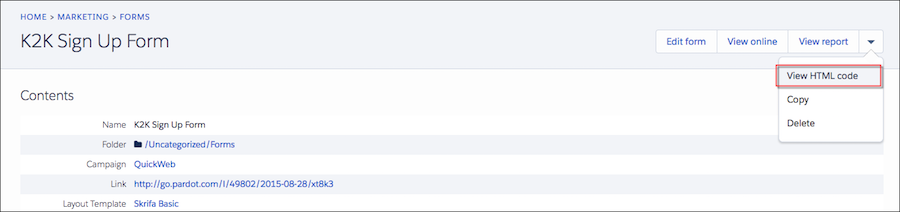
Once your design is ready, embed your form on one of your test pages by using an iframe and see how the form would behave in live environment. You can access the form’s code in Pardot – see image below – and paste it to the page source.
In case you are using HTTPS on your website and your Pardot tracker domain is personalised, you need to take an additional step to ensure your forms are working correctly. Let’s take a look at our example:
- Secure website: https://nebulaconsulting.co.uk
- Not secure Pardot url with a personalised domain: http://www2.nebulaconsulting.co.uk
When we embed our contact us form with an iframe we have to change the referencing url of the code, by replacing http://www2.nebulaconsulting.co.uk/ with https://go.pardot.com/ and leave the rest of the code as Pardot generated it. If your form template includes any reference to a file stored on Pardot – such as a css file -, you need to adjust that link with the same steps as above.
These changes would make sure that the form is displayed on a secure website, even though the Pardot tracking domain is not secure.
While you are finishing up with the preparations and the tracking steps for your new website, the launch date is coming closer and closer. See our advice for the week of the launch on the final article of the Website Launch for Pardot series.