

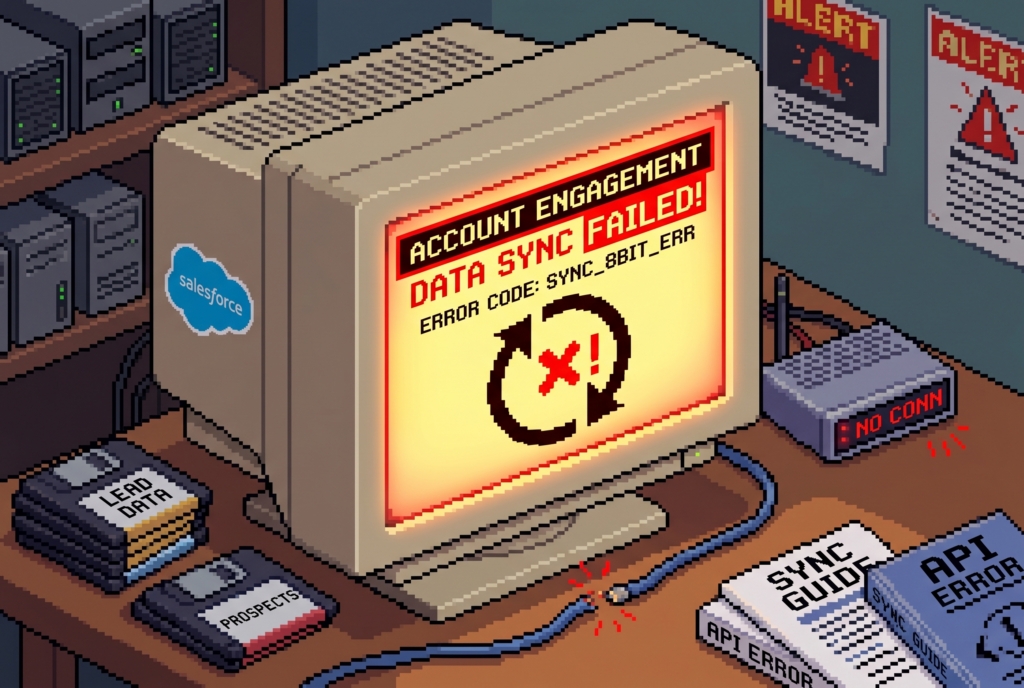
In marketing automation, maintaining a seamless flow between Marketing Cloud Account Engagement and Salesforce CRM is critical. When the sync queue accumulates errors, it directly impacts business operations, delaying Marketing Qualified Lead routing, skewing attribution data, and halting automated nurture journeys.
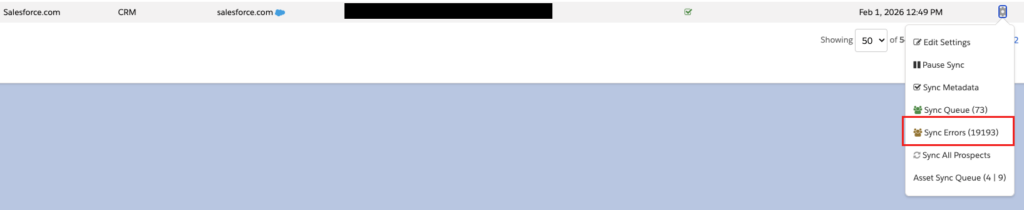
Sync errors typically occur not because of a system failure in Account Engagement, but because data violates validation rules, formatting standards, or security sharing settings established within Salesforce. Generally, most sync errors originate from Salesforce due to these reasons. Any records that hit a sync error will essentially stop the communication of data between Account Engagement and Salesforce.
Below are some of the more common sync errors that we see, instructions on how to resolve them, and strategies for working with your Salesforce administration team to prevent future occurrences.
1. FIELD_CUSTOM_VALIDATION_EXCEPTION
Cause: This error occurs when data synced from Account Engagement violates a custom validation rule in Salesforce. For example, a Salesforce validation rule may dictate that if a Lead Status is set to “In Progress,” a “Reason” field must also be populated. If an Account Engagement form or automation updates the status without providing the reason, Salesforce rejects the record.
Resolution:
- Identify the Rule: Review the sync error details in Account Engagement to identify the specific validation rule name and error message passed back by Salesforce.
- Update Marketing Assets: Modify the relevant Account Engagement forms, completion actions, or automation rules to ensure all mandatory data points are captured and mapped.
- Implement an Integration Bypass: Work with your Salesforce Administrator to evaluate whether the validation rule should exclude the B2BMA Integration User, allowing data to enter the CRM and be enriched later.
2. INVALID_OR_NULL_FOR_RESTRICTED_PICKLIST
Cause: This occurs when Account Engagement attempts to pass a value to a Salesforce picklist field that is configured as “Restricted”, and the value does not exactly match the allowed options. For instance, if Account Engagement submits “USA” but the Salesforce restricted picklist only accepts “United States,” the sync will fail. The same applies in reverse.
Resolution:
- Standardise Input Fields: Replace free-text fields on Account Engagement forms with dropdown menus or radio buttons to control user input.
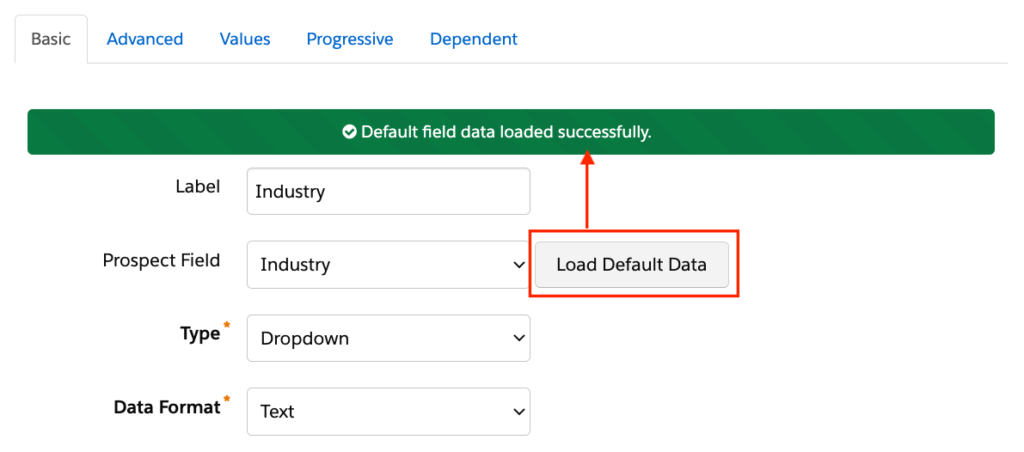
- Load Default Data: In conjunction with the above point, when adding dropdown, multi-select, checkbox or radio button fields to ensure you are only using approved values your business uses.
- Align API Names: Verify that the “Values” in your Account Engagement picklist configuration exactly match the Salesforce API names, noting that these values are case-sensitive and vice versa.
- Mass Update Records: Use automation rules in Account Engagement to correct the values on affected prospects, then trigger a manual resync of the queue.
3. INSUFFICIENT_ACCESS_ON_CROSS_REFERENCE_ENTITY
Cause: This is a permissions-based error. It indicates that the Account Engagement Connector User (or B2BMA Integration User) lacks the required object-level, field-level, or record-sharing permissions in Salesforce to complete the sync action. Common examples include attempting to assign a lead to a Queue the user cannot access, or writing to a field marked ‘Read Only’ for that integration profile.
Resolution:
- Audit Permissions: Review the Salesforce Profile and Permission Sets assigned to the Account Engagement Integration User.
- Verify Field-Level Security: Ensure that the field causing the error is configured as visible and editable for the integration user profile in Salesforce.
- Check Sharing Rules: If the system is assigning records to specific users or queues, ensure the Integration User has sufficient visibility within the Salesforce role hierarchy or sharing settings.
4. STRING_TOO_LONG
Cause: This error occurs when the text string being passed from an Account Engagement field exceeds the maximum character limit defined for the corresponding field in Salesforce. For example, if a custom “Comments” text field in Salesforce is configured with a limit of 100 characters, and a prospect submits a 150-character response on an Account Engagement form, Salesforce will reject the record update.
Resolution:
- Verify Field Lengths: Compare the character limits of the affected field in both Account Engagement and Salesforce.
- Adjust Salesforce Configuration: Work with your Salesforce Administrator to increase the character limit of the Salesforce field (e.g., changing a Text field to a Text Area or Long Text Area field) to accommodate longer entries.
- Truncate or Limit Input: If increasing the Salesforce field length is not feasible, implement character limits on your Account Engagement form fields using JavaScript validation, or manually shorten the text of stuck records in Account Engagement before triggering a resync.
5. FIELD_TYPE_MISMATCH
Cause: This error occurs when the data type of an Account Engagement field does not align with the data type of the mapped Salesforce field. Because Account Engagement allows for flexible data entry on certain field types, it may attempt to pass data that the Salesforce field cannot accept. Common examples include trying to sync a text string (e.g. “Ten”) into a Salesforce Number field, a text value into a Salesforce Date field, or alphanumeric characters into a Salesforce Currency field.
Resolution:
- Verify Field Configurations: Compare the field settings in Account Engagement with the field metadata in Salesforce Setup to identify where the data type discrepancy lies.
- Standardise Form Inputs: If the Salesforce field requires a specific format (such as a Date or a Number), update the corresponding Account Engagement form field type or validation parameters to force users to enter data in the correct format.
- Clean and Resync: Locate the stuck prospect records in Account Engagement, manually correct the invalid values to match the required Salesforce data type, and trigger a resync of the queue. If the mapping itself is incorrect, delete the existing field mapping in Account Engagement and re-map it to a compatible Salesforce field type.
The Business Impact of Sync Errors
Neglecting the sync error queue creates significant operational and financial liabilities for an organisation:
- Delayed Lead Routing: If a high-intent prospect encounters a sync error, the record remains stuck in the queue instead of routing to a sales representative, directly reducing speed-to-lead capabilities.
- Inaccurate Reporting: Pipeline attribution, campaign ROI metrics, and executive dashboards become inaccurate.
- Inefficient Marketing Spend: Marketing teams risk sending irrelevant or redundant communications to prospects because of the lack of real-time updates regarding a lead’s current sales stage or disqualification status.
Aligning Marketing and CRM Administration
Because the vast majority of sync errors originate from CRM constraints, resolving and preventing them requires ongoing collaboration between marketing automation admins and Salesforce admins.
To establish a proactive maintenance strategy, organisations should implement a weekly (or bi-weekly) review of the Account Engagement sync queue to address errors before they accumulate. In addition to this, establishing a strict change management protocol ensures that administrators notify the marketing team before deploying new validation rules, restricted picklists, or automation flows. This alignment allows marketing assets to be updated in parallel, maintaining a clean data pipeline and maximising the return on your marketing technology investment.