

New
Are you ready for Agentforce? Take our assessment to find out today!
    • Expertise
          • Product

          • Sales Cloud
          • Service Cloud
          • Account Engagement
          • Marketing Cloud Next
          • Revenue Cloud
          • Agentforce
          • Data 360 (Data Cloud)
          • CRM Analytics
          • Tableau Next
          • Experience Cloud
          • Industry

          • Manufacturing
          • Healthcare
          • High Tech
          • Financial Services
          • Media & Entertainment
    • Solutions
      • Consulting
      • Implementation
      • Managed Services
      • Health Check
      • Training
    • About Nebula
      • We Are Nebula
      • Meet the Team
      • Join Our Team
    • Resources
    • Login
    • Get in Touch
Share:

Get Your Pardot Forms Working in WordPress: Part 2

by Nebula Consulting
24th January 2019 • 2 min read
Nebula Consulting
Share:

In Part 1, I talked about getting Pardot Forms Working in WordPress specifically when using a standard Pardot form. This time, I’m going to focus on how to use Pardot Form Handlers in conjunction with WordPress.

Contact Form Plugin

The Contact Form 7 Plugin can be configured to integrate with Pardot Form Handlers. There’s a high chance you will have this plugin installed already as it’s fairly popular. The main benefit to using this plugin in particular is that any form you put in will inherit form styles that already exist on your website.

Here’s how you do it:

  • Install and activate the Contact Form 7 Plugin. For this to work, you will also need to do the same with the 3rd Party Integration Plugin (this is what allows you to integrate with Pardot).
  • Create a new form under ‘contact’ (if you don’t want to create a new form, you can simply edit the default form that is provided.
  • Now, jump back into your Pardot account and create a new form handler.
  • Leave the ‘success’ and ‘error’ locations blank (they wont be used as part of this process)
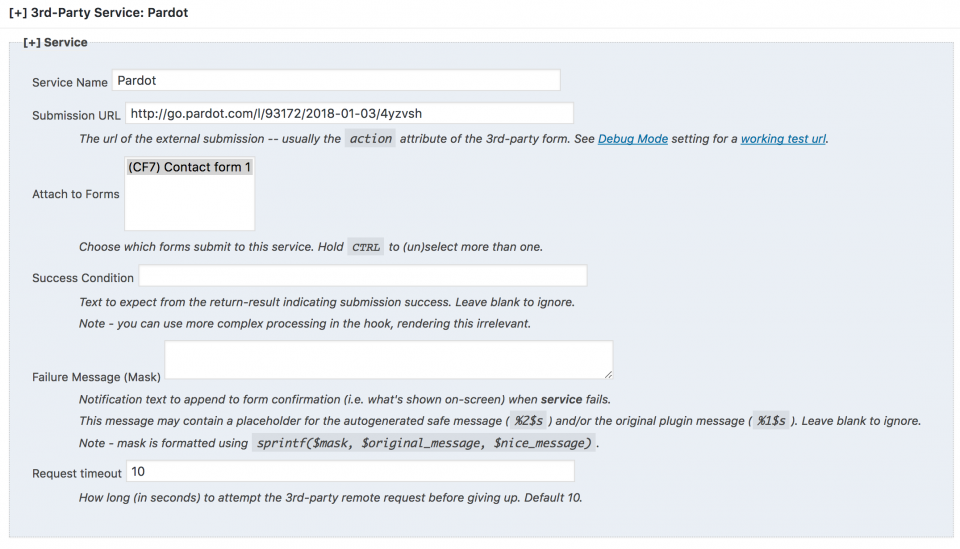
  • Pop back into WordPress to Contact > 3rd Party Services
    • Add a new 3rd Party Service
    • Name can be anything that makes sense to you
    • Submission URL should be the URL of your form handler (found in your Pardot account)
    • Select the form you want to use

Pardot-Wordpress-Plugin-Contact-Form-7-3rd-Party-Integration-Setup-960x549

  • Now, you’ll need to map your fields within Contact Form 7 to your Pardot form handler. (It’s generally best practice to keep the names the same in both)

field mapping

Wrap up

Unlike part 1, there are not so many ways of doing this. If you need help getting up and running with form handlers in WordPress, get in touch with us. If you’re a super Pardot WordPress genius and have got another way of doing it, I’d love to hear from you.

Not a WordPress user, but still want to find out about form handlers? You can find out more here.


Find related resources by topic

Marketing

You may also be interested in

Fix the Foundations: Success in the Agentic Era Marketing Edition
Blog
Marketing

Fix the Foundations: Success in the Agentic Era Marketing Edition

We hear the announcements and on repeat about how the Agentic Era is here to transform the B2B and B2C landscapes. These changes will enable…

4 min read Read Blog
Laying the Right Foundations
Success Story
Account Engagement Sales Cloud

Laying the Right Foundations

Complex processes and cautious stakeholders hindered Redwheel's CRM adoption. Nebula's Account Engagement and Salesforce audits mapped the journey, restoring confidence and delivering a strategic roadmap for a powerful, sales-enabled CRM.

May 27, 2025 Read Customer Story
How to Avoid Completion Action Limits in Account Engagement (Pardot) Using Engagement Studio
Blog
Marketing

How to Avoid Completion Action Limits in Account Engagement (Pardot) Using Engagement Studio

Conditional completion actions and completion actions, while powerful, can quickly consume the available limits on your forms and form handlers. If you’ve been creating and managing…

3 min read Read Blog
Aligning Marketing and Sales for a Global Insurer
Success Story
Account Engagement Sales Cloud

Aligning Marketing and Sales for a Global Insurer

Poor email deliverability and disconnected data misaligned Lockton's sales and marketing. Nebula's Salesforce and Account Engagement integration established governance, delivering a 97% delivery rate, 25 empowered users, and transparent insights.

Apr 30, 2025 Read Customer Story
Upgrade Your Form UX with Toggle Switches
Blog
Marketing

Upgrade Your Form UX with Toggle Switches

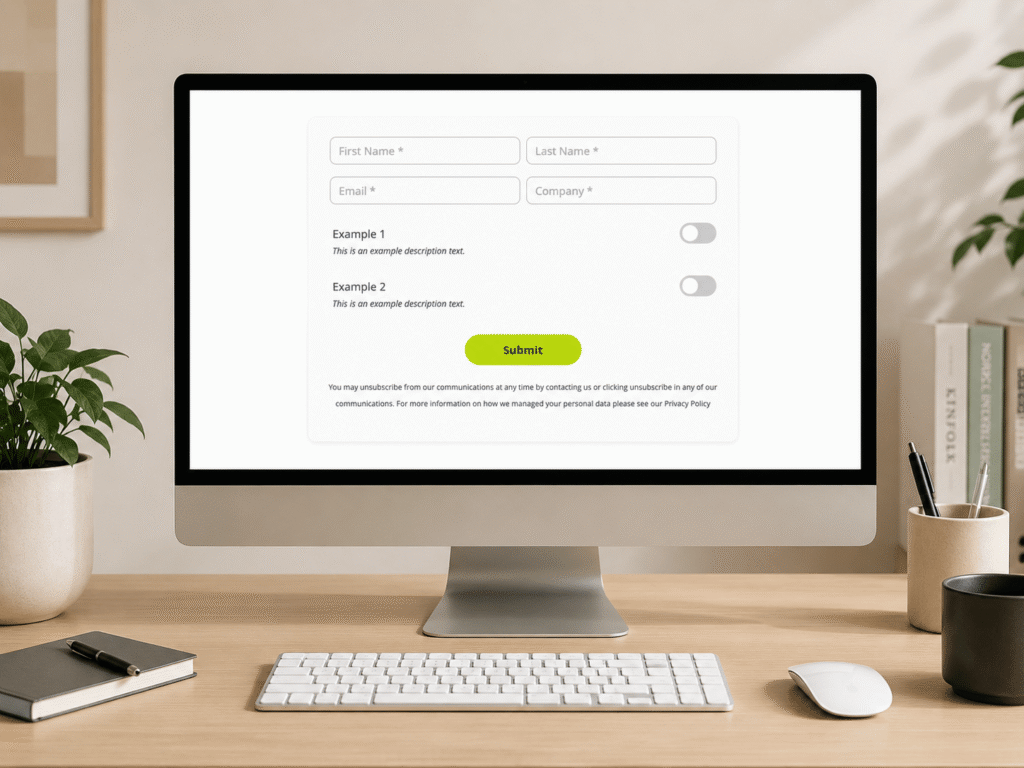
If you would like to modernise your forms, provide a slicker user experience, and match contemporary web design, follow our mini guide that helps you…

2 min read Read Blog
Creating a seamless membership experience
Success Story
Account Engagement Sales Cloud Service Cloud

Creating a seamless membership experience

Data silos and disparate systems hindered the World Travel and Tourism Council's membership experience. Nebula's Cvent integration, record cleansing and automated invoicing delivered rapid efficiency, unified data, and a 10-year partnership.

Jan 30, 2025 Read Customer Story
Account Engagement Landing Page Conversion Mastery
Blog
Marketing

Account Engagement Landing Page Conversion Mastery

Building pages that truly perform in Account Engagement isn't just about clicking buttons; it's about strategy, technical finesse, and empathy for the user. Here’s my…

5 min read Read Blog
Targeted Sales Enablement for Users
Success Story
Account Engagement CRM Analytics Sales Cloud

Targeted Sales Enablement for Users

Stale opportunities and missing data delayed Clarion Events' pipeline. Nebula's Einstein Next Best Action delivered intuitive guidance, surging stage moves by 132%, doubling activities, capturing crucial VAT details, and boosting CRM adoption.

Jan 3, 2025 Read Customer Story
5 Hidden Snags in Account Engagement
Blog
Marketing

5 Hidden Snags in Account Engagement

Managing Salesforce Account Engagement (Pardot) requires more than just marketing knowledge. Even in a well-established org, you can sometimes hit some invisible walls. Below are…

4 min read Read Blog
5 new Marketing Cloud Next features we’re excited to try
Blog
Marketing

5 new Marketing Cloud Next features we’re excited to try

The Spring ’26 release is here, and it’s a significant milestone for Marketing Cloud Next (also known as Agentforce Marketing). This release focuses on making…

4 min read Read Blog
Nebula

Our journey started in 2012 with a clear vision and core values. Nebula is dedicated to empowering our customers through fostering relationships founded on collaboration, flexibility, and trust.

  • We Are Nebula
  • Resources
  • Join Our Team
  • Terms and Conditions
  • Privacy Policy
The Space Aldgate,
Irongate House,
22-30 Dukes Place,
London EC3A 7LP
+44 207 112 8026
Get in Touch
Copyright © 2026 Nebula Consulting. All Rights Reserved.