

A new setting has appeared in Salesforce, Opt Out of Customer Data Access, and it’s caused a bit of panic and confusion within the community. It’s not been mentioned in the Release Notes, and the setting itself isn’t new. What is new, is that you can now see it.
When Salesforce first introduced Einstein, they told customers their data could be used to train predictive AI models. If you wanted out, you had to contact Salesforce and ask. Most customers either didn’t know this, or raised a case and forgot about it. The toggle was always there in spirit. Now it’s in Setup, visible to anyone who goes looking, and suddenly it feels like a revelation.
What it actually does
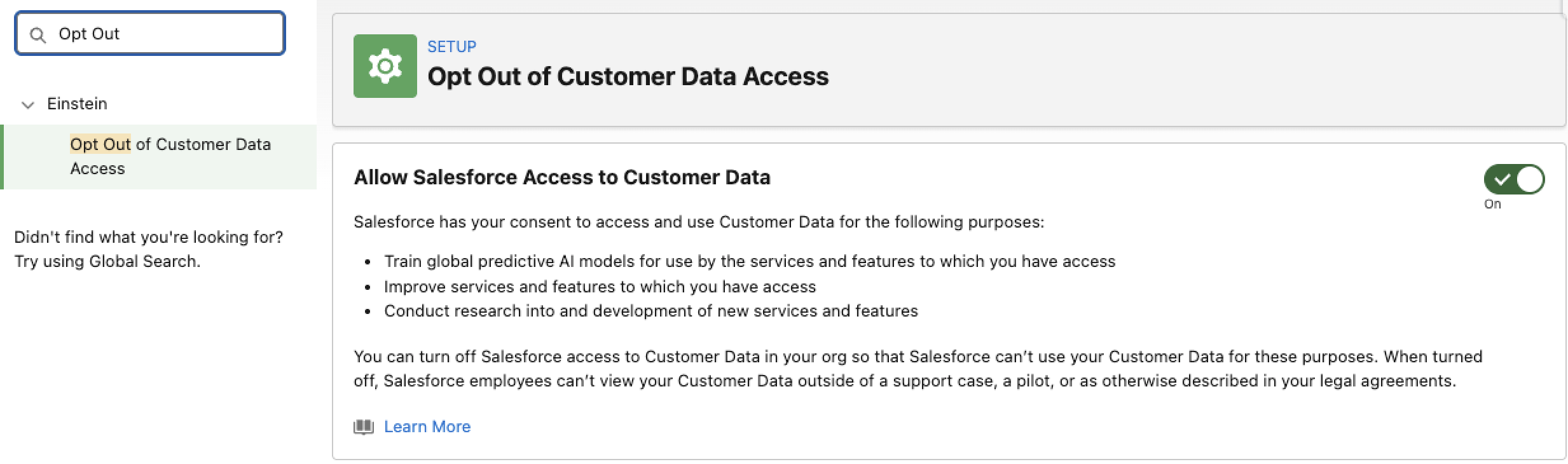
When Opt Out of Customer Data Access is on, Salesforce can use data from your org to train global predictive models, improve Einstein and Agentforce features, and develop new ones.
Global models are worth understanding properly. Most Einstein features build a model based on your org’s data alone. Global models aggregate trends across many orgs, anonymously, to produce predictions that no single customer’s dataset could support. Einstein Search is a good example: the query classification models it relies on need far more data than any one org can provide. Your records don’t get exposed to other customers. The model learns that “opportunities with no activity for two weeks close 50% less often” and applies that pattern back to your data. Nothing identifiable leaves your org.
One thing this setting doesn’t touch: Salesforce’s zero-data retention policy with third-party LLMs. That’s governed separately.
Who’s opted in by default
Most orgs are opted in unless you’re on Government Cloud, or someone previously raised an opt-out case on your behalf. If the page loads as read-only, that’s why. You can’t change it either way.
Finding the setting
Go to Setup, search for Einstein Setup in the Quick Find box, and make sure Einstein is enabled. Then search for Opt Out of Customer Data Access and open it. Toggle it on or off. That’s the whole process.
What you give up by opting out
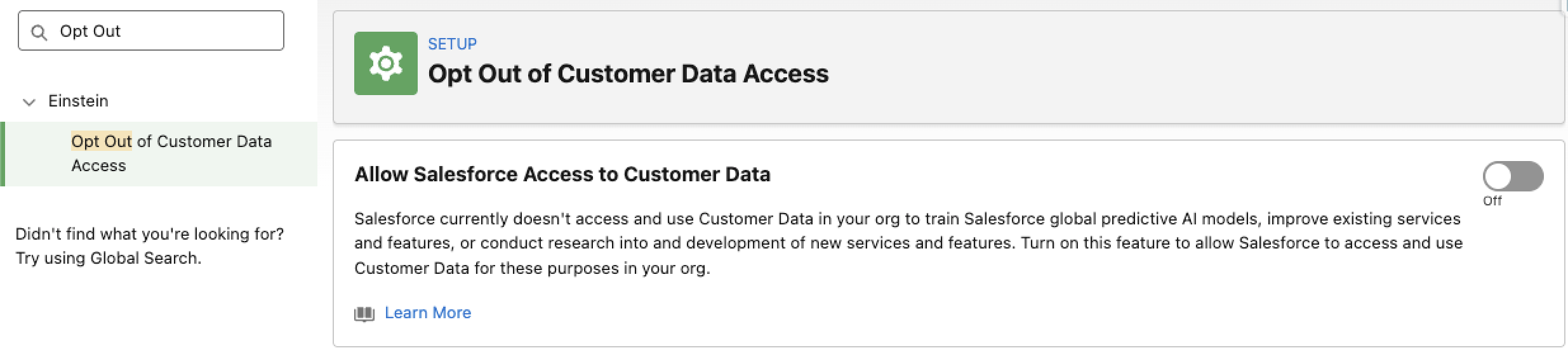
Opting out stops new data sharing immediately. Salesforce holds previously collected data for up to 30 days for service improvement, then deletes it.
The practical consequences: your org won’t qualify for Einstein or Agentforce pilot programmes or early access, search results may be less relevant for industry-specific terms, and you stop contributing to improvements for features you’re already using. For most customers, those are acceptable trade-offs. For those in regulated industries, it’s simple; you opt out and move on.
The actual change here
Salesforce made a self-service process out of something that previously required a support request. That’s it. If your org was opted in before, it still is. If someone raised an opt-out case years ago, that should still be reflected. What’s changed is that admins can now check the state of this setting themselves and act on it without waiting for Salesforce support.
My advice… check the setting, make a decision based on your data policies, and update it as appropriate.